How do I remove legacy providers?
The Clinician Analysis and Clinician Procedures dashboards both offer the ability to drilldown and look at an individual clinicians statistics, by selecting them from the dropdown menu in the top right hand corner as shown below.
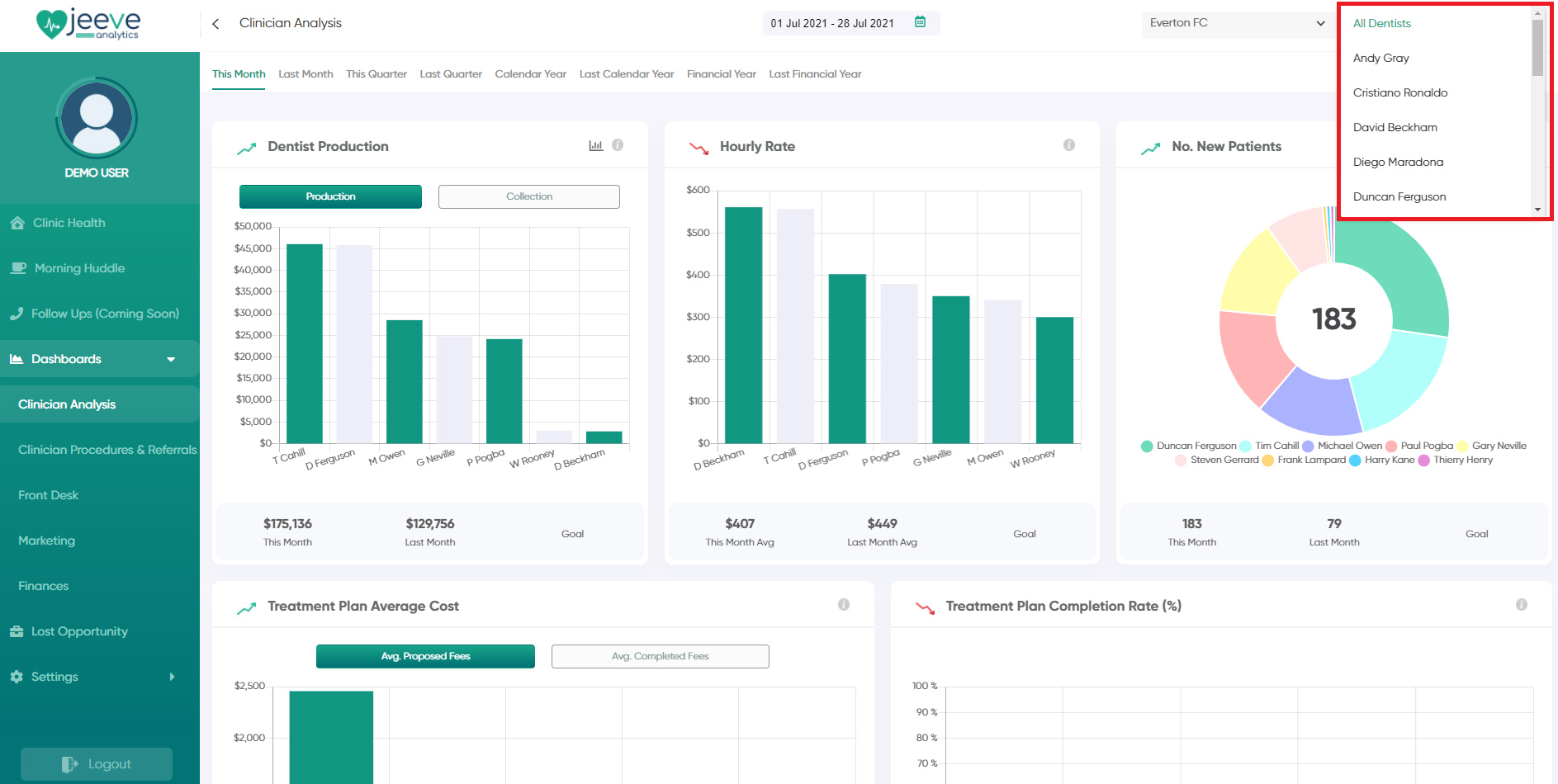
You can remove legacy providers from this dropdown list in the Jeeve settings, by clicking Settings -> Clinics -> Dentists
In this section, simply de-select the "Active" checkbox for any providers you don't want to appear in the dentist dropdown.
Note: If you have more than 10 providers, these results are split onto multiple pages - click on the numbered buttons at the bottom of the list to navigate to the next page.
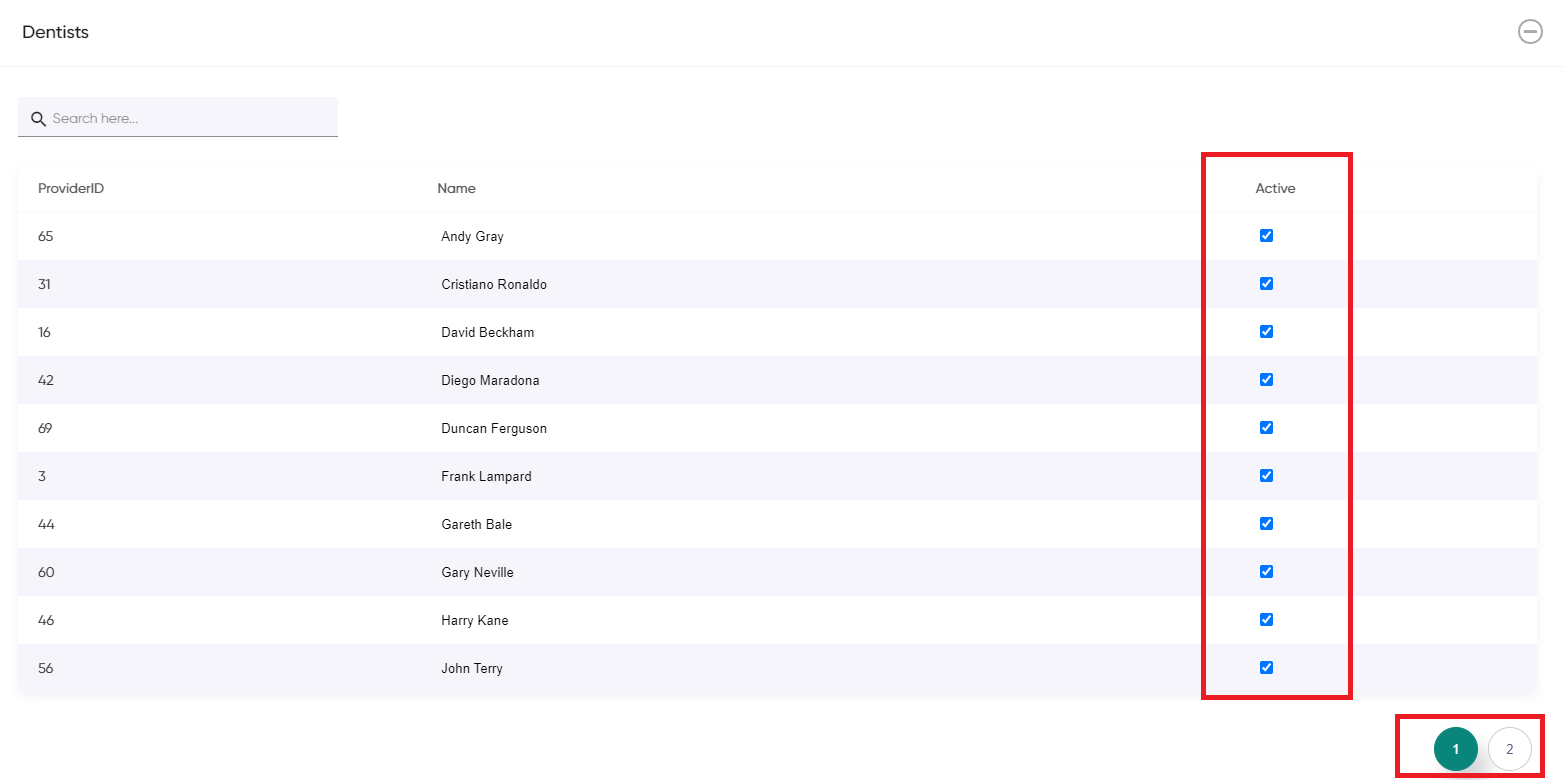
You can remove legacy providers from this dropdown list in the Jeeve settings, by clicking Settings -> Clinics -> Dentists
In this section, simply de-select the "Active" checkbox for any providers you don't want to appear in the dentist dropdown.
Note: If you have more than 10 providers, these results are split onto multiple pages - click on the numbered buttons at the bottom of the list to navigate to the next page.
Related Articles
Total Discounts
How is total discounts calculated? Total Discounts This metric shows the total discounts offered at the clinic, and also includes a break down of discounts offered per provider Hovering over each segment of the donut chart will show the providers ...Hourly Rate
How is Hourly Rate calculated? Hourly Rate Hourly rate is calculated by taking the total amount of production and dividing it by the total number of appointment hours scheduled in that providers appointment book (ie. Appointment Duration) Note: Any ...How do I check if my FTA/UTA's are setup correctly
There are two common ways to log FTA / UTA's in your PMS - via Item Codes or Appointment Status. Jeeve caters for both of these configurations - however if you add FTA's / UTA's by adjusting the appointment status in your appointment books, we ...How do I connect to Xero / MYOB
Jeeve is integrated with both the Xero and MYOB accounting platforms. Once your account is connected, data is retrieved live from the Xero / MYOB servers for certain key financial charts shown in Jeeve Analytics. How To Connect To authorise Jeeve to ...