FTA / UTA Followups
How do the FTA / UTA follow-ups work?
FTA / UTA Followups
Morning Huddle
Your FTA and UTA followups are populated in your Morning Huddle daily. This is used to capture any patients who have Failed to Attend or were Unable to Attend.
By default, these lists will contain any patients who FTA / UTA "on the day", who don't have another appointment booked within the next 28 days.
The number of days can be customised in your Jeeve settings (see How do I set up my Followups?) 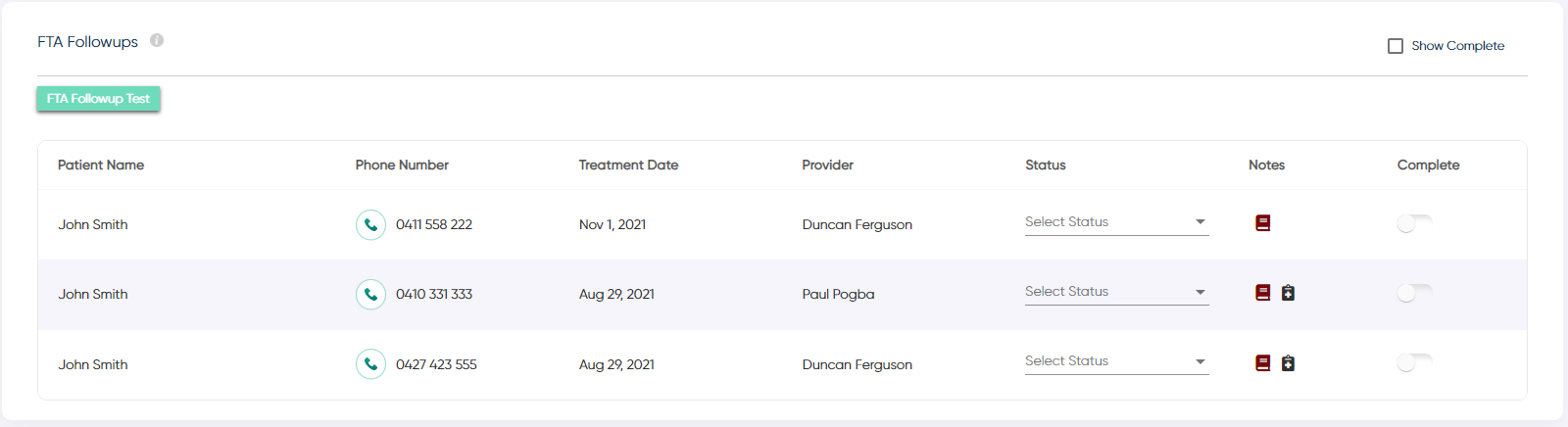

A few icons are displayed beside each FTA / UTA followup in the Notes column. These allow you to add notes to the followup, and also show any outstanding treatment plan items for this patient.
Your Front Desk staff should select the "Status" of each call before toggling the followup to "complete".
Note: to cater for busy days, holidays and closed days, this list also includes any incomplete items from the previous 2 days.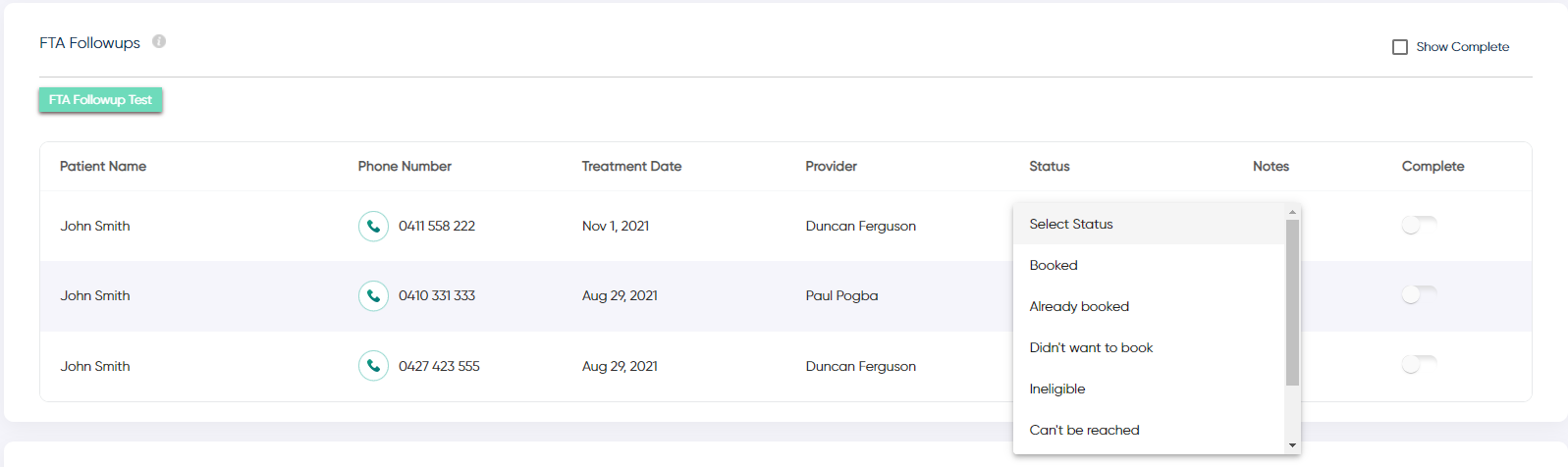
Monthly Followups
A full list of all historic followups is retained in the "Followups" section of Jeeve, accessible from the main menu.
This section gives monthly breakdowns on all followups. Clicking on the left/right arrows next to the month will change the date range.
Completed followups can be viewed by selecting the "Show Complete" button at the top of the table.
Related Articles
Morning Huddle - Front Desk Followups
What is shown in the Front Desk Followups section? Front Desk Followups Front Desk Followups displays a table for each followup enabled in your system. There can be up to five tables shown to display the different types of followups available in ...How do I set up my Followups?
Followup's are populated for you automatically each day in the Morning Huddle. Ideally these should be completed daily by your front desk staff. To cater for holidays, weekends / closed days and any busy days, any incomplete follow-ups will remain ...UTA Ratio
How is UTA Ratio calculated? UTA Ratio UTA Ratio shows the percentage of your appointments that resulted in a UTA (patient Unable To Attend). There are two different methods of tracking UTA's: 1) Item code: If you use a custom item code of "UTA", we ...FTA Ratio
How is FTA Ratio calculated? FTA Ratio FTA Ratio shows the percentage of your appointments that resulted in an FTA (patient Failed To Attend). There are two different methods of tracking FTA's: 1) Item code: If you use a custom item code of "FTA", we ...How do I check if my FTA/UTA's are setup correctly
There are two common ways to log FTA / UTA's in your PMS - via Item Codes or Appointment Status. Jeeve caters for both of these configurations - however if you add FTA's / UTA's by adjusting the appointment status in your appointment books, we ...