Google Reviews - Sending a Review Invite
How do I send a review invite?
Sending a review invite
Jeeve users with access to the Morning Huddle - Front Desk Reminders page have the ability to send review requests to patients.
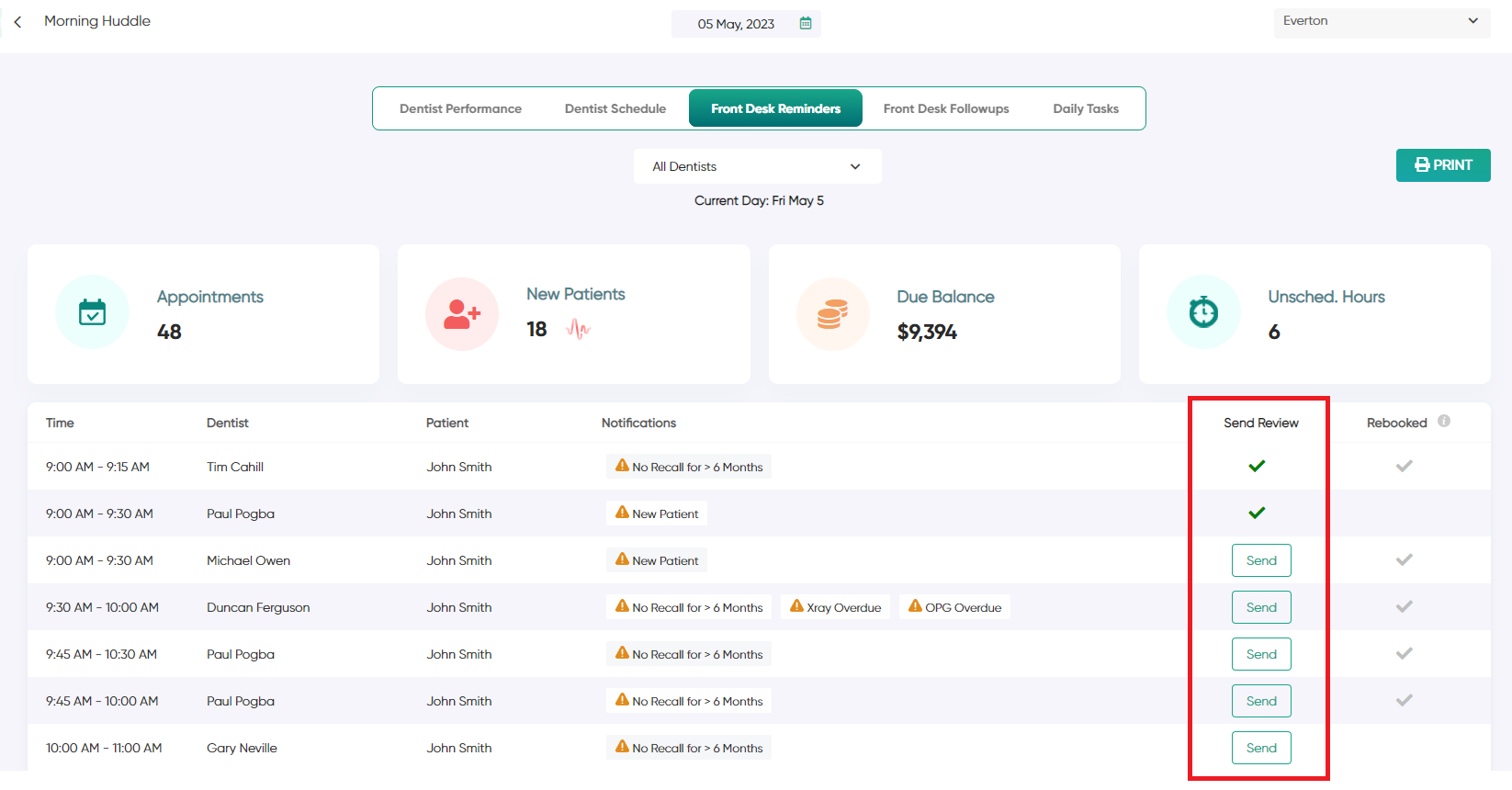
Each patient will appear in your Morning Huddle with a "Send" button in the "Send Review" column.
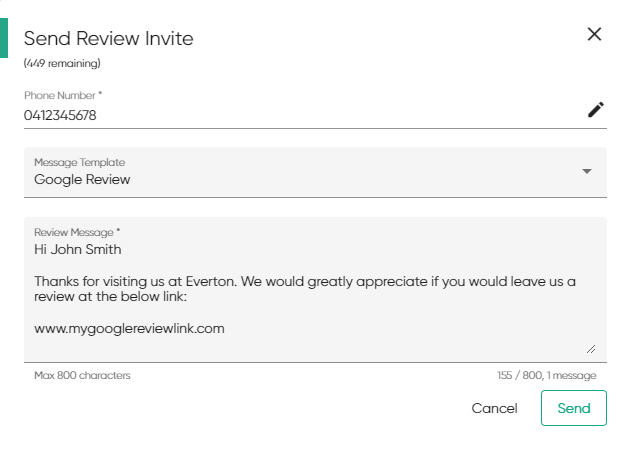
After clicking this button, you will see a popup that contains the patients phone number and a message preview.
You can select a review message template or edit the message directly here. Once complete, select "Send" to send the review invite.
You can select a review message template or edit the message directly here. Once complete, select "Send" to send the review invite.
Depending on the status of the invite, you will see one of the following icons:
 | You have not sent the invite yet |
 | Invite Delivered Successfully |
 | Invite Sending (wait up to 60 seconds) |
 | Invite Sent, awaiting delivery confirmation |
 | You have sent a review invite to this patient previously |
 | Invite Failed to send |
Related Articles
Google Reviews - Adding your Google Link
How do I add my clinics google link to Jeeve? Adding your Google Review link Before sending review invites with Jeeve, you must enter each clinics Google Review link in the Jeeve settings You can obtain your Google Review link by following the simple ...How do I setup the Google Reviews feature?
Setting up Google Reviews You can now send Google Review invite requests to your patients, directly from your Morning Huddle! To enable this feature, there are a few simple steps to follow 1. Add Your Google Link See Google Reviews - Adding your ...Google Reviews - Creating an Invite Template
How do I create a template? Creating a Google Review invite template Jeeve administrators and users will access to "Settings -> Clinics -> (choose clinic) -> SMS Templates" can create message templates for Google Reviews. When creating a template, ...Google Reviews - Credits
How do I add more review invite credits? Included with your subscription, each Jeeve clinic will receive 50 complimentary credits per month Additional credits can be purchased by browsing to: Settings -> Clinics -> (choose clinic) -> Credits Click on ...